Feature by feature

Everything the app does, and where it stops

Each section below describes one part of the app in the words the app itself uses, so what you read here is what you will look for on the screen. Where something is limited, the limit is written down rather than left out.

Catalogue

Two tabs, one grid, and what you opened last on top

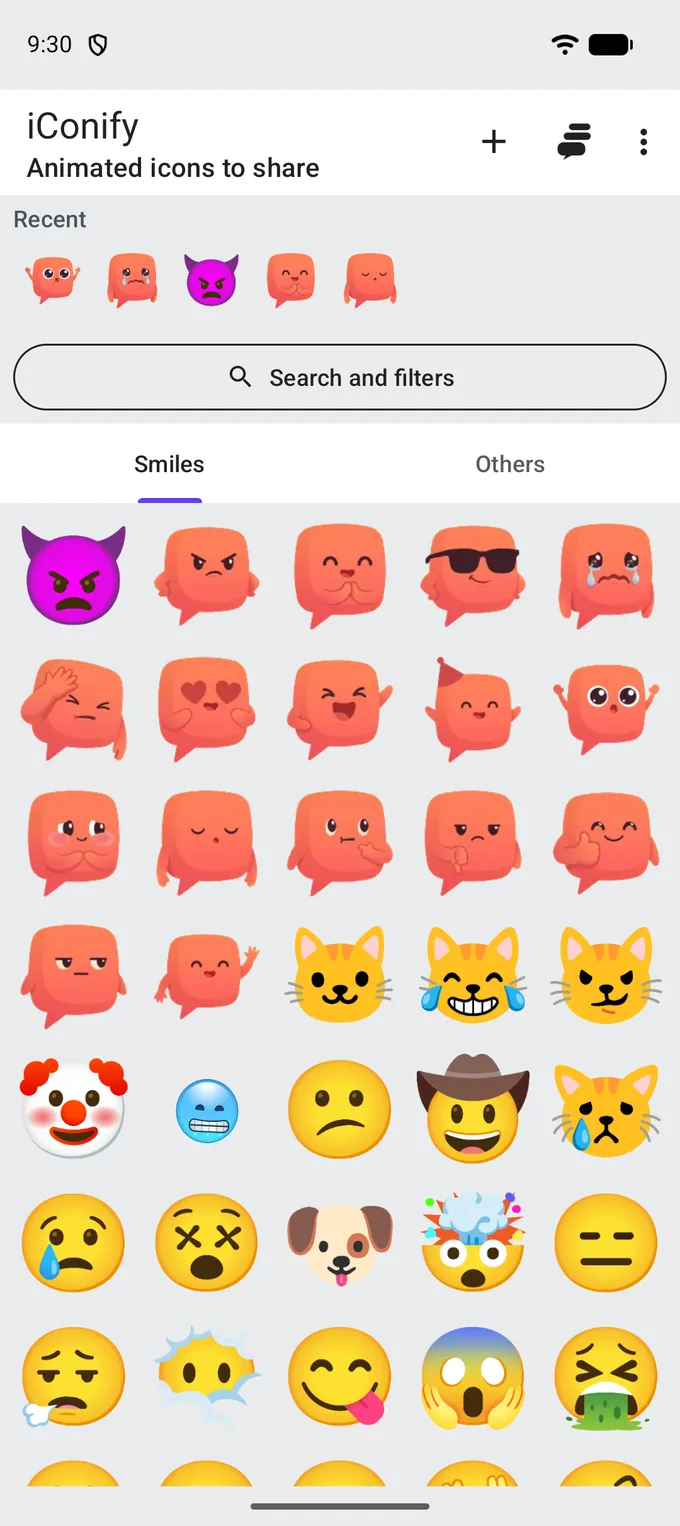
The catalogue is a grid five icons wide, split into two tabs. Above it is the row that answers the question you usually have — what you reached for last time.

  • Smiles is faces, and Others is everything that is not one. The tabs are the only division of the catalogue that is always visible; everything else is a filter.
  • Recent is what you opened last, most recent first. It appears once you have opened something, and it steps aside while a search or a filter is active.
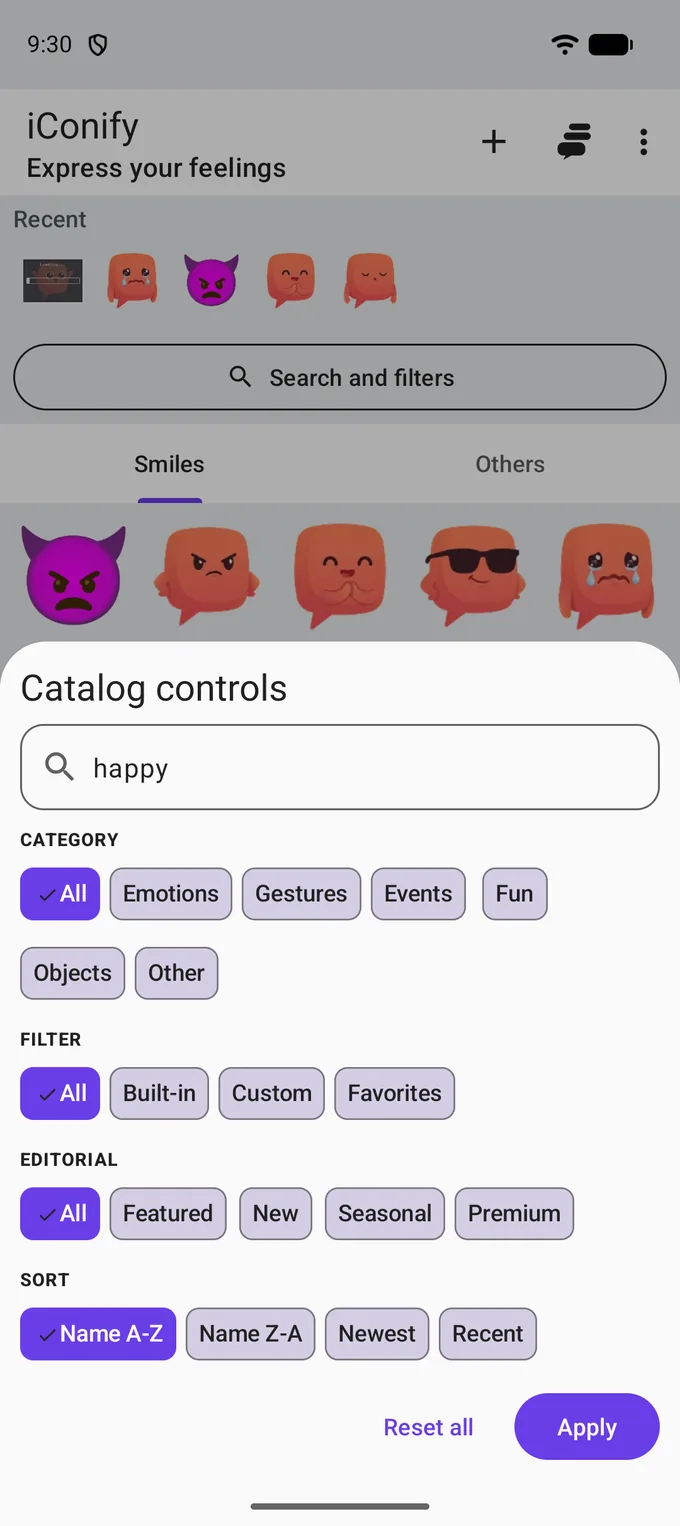
  • The button under it opens the search sheet and, once you have searched, shows what you asked for instead of its own name.
  • The grid pages as you scroll rather than loading the whole catalogue at once, and the app quietly pre-loads the images of what you opened recently, starred, or rank highly — so the ones you reach for are already there.

One icon

Open, play, keep, send

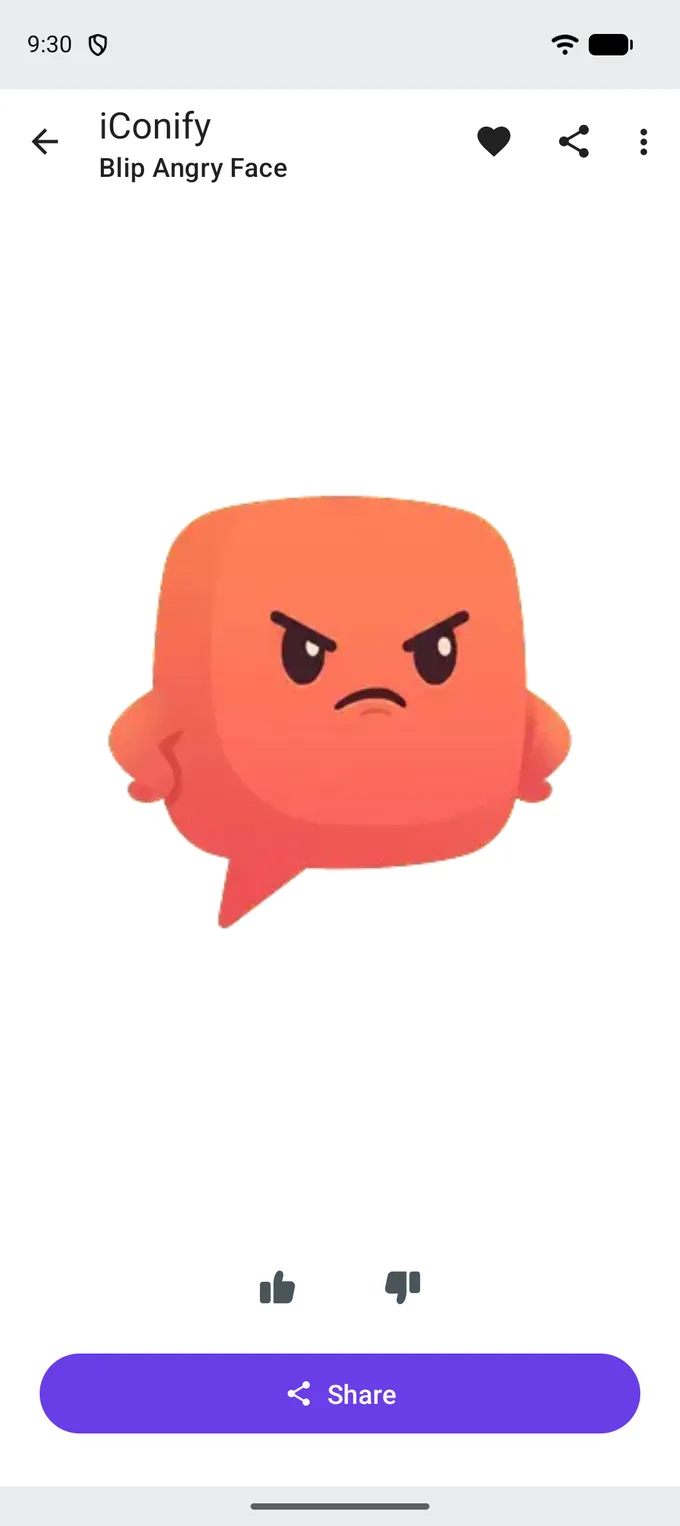
Opening an icon plays it full screen, on nothing but background. Everything you can do with it is on the same screen.

  • The heart in the top bar keeps it, and the Favorites filter in the search sheet brings it back.
  • Thumbs up and down are a vote. It stays on the phone: its only job is to weigh which icon the app offers you as the icon of the day, and it goes nowhere else.
  • Share — the full width of the screen, because it is what the app is for — opens the system sheet with the animation attached as a file and a link to the icon's own web page.
  • The menu adds Add to Collection, and for icons you added yourself, Edit and Delete.

Blip Reactions

Sixteen the app has and nobody else does

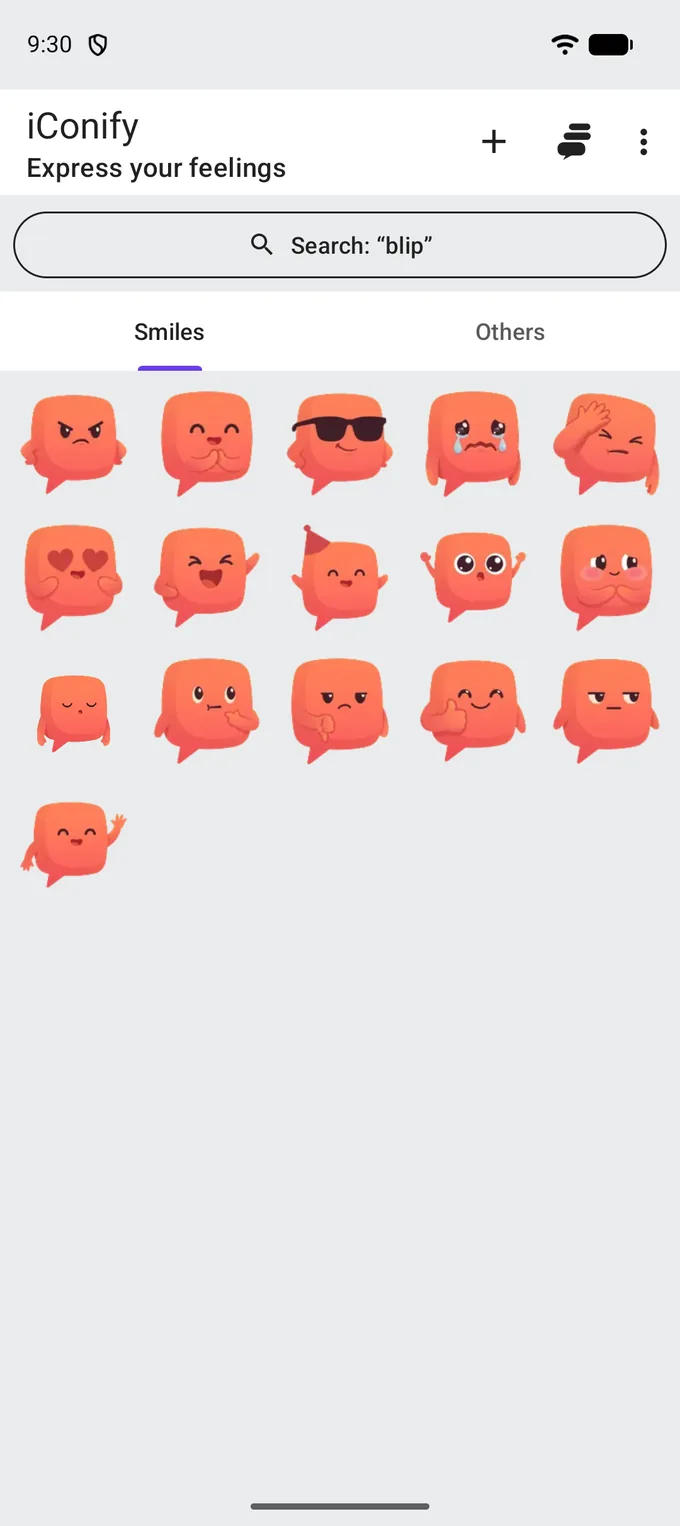
Most of the catalogue is the sort of animated emoji you have seen before. Sixteen of them are not: Blip is the app's own character, drawn for iConify, and it is the reason a reaction from here does not look like a reaction from anywhere else.

They are ordinary catalogue icons in every other way — searchable, collectable, shareable. Typing blip brings up the whole set.

  • The same character is the app's launcher icon and the face in the empty states.
  • The sixteen are also the WhatsApp sticker pack, described further down.
  • Nothing about them is locked: there is no paid tier in the app at all.

Icons you add yourself

The catalogue that ships with the app is a starting point, not the limit.

From a link

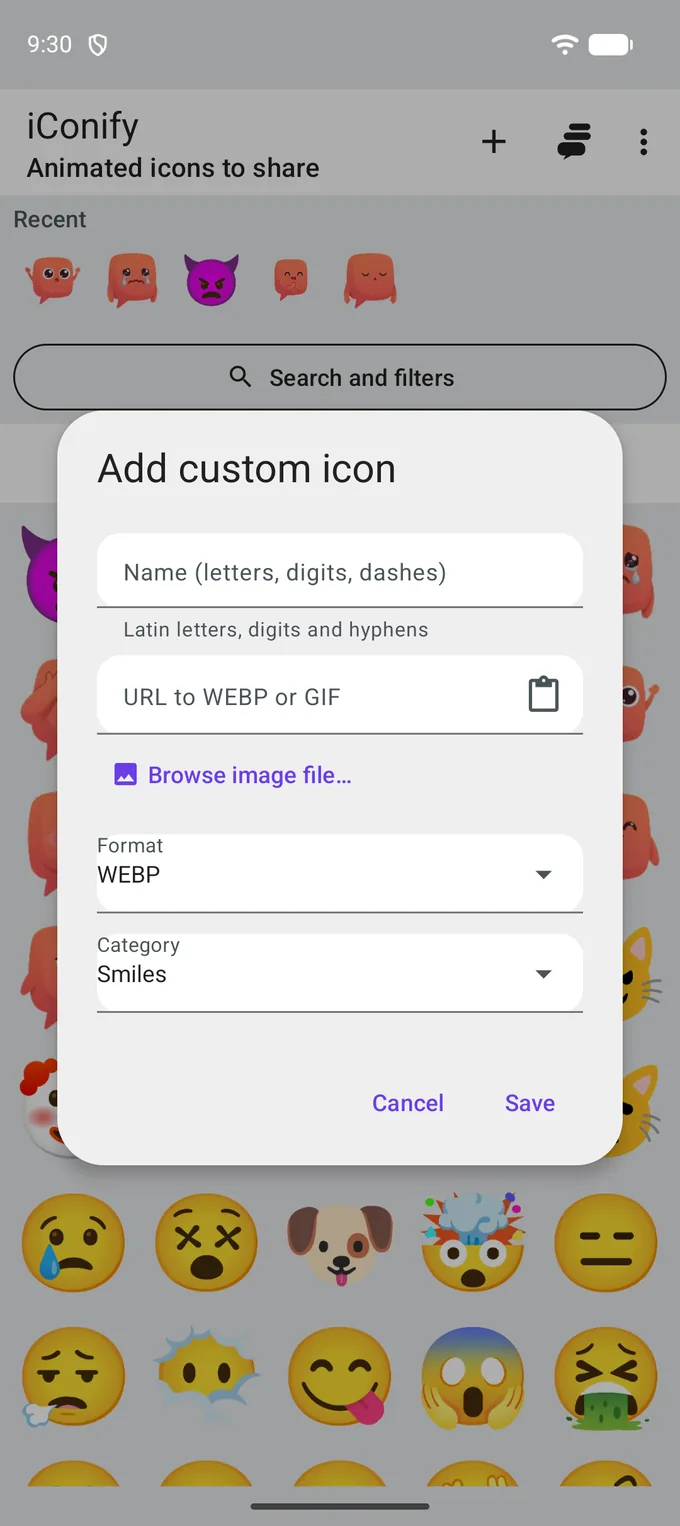
Paste a URL to a WEBP or a GIF. The app checks that the address resolves and that the file is really one of those two formats, then loads the image before saving the record. A link that does not answer is refused with a reason, not with a broken tile.

From a file

Browse image file picks a WEBP or GIF already on the phone. Same result — an icon in your catalogue — without a server in the middle.

Named by you

A name is latin letters, digits and hyphens, and it has to be unique in your catalogue. That is what deep links and sharing address the icon by, which is why it is not free-form text.

Behaves like the rest

Your icon appears in the same grid, in search, in filters and in collections. The Custom source filter shows only yours; deleting one removes it from the device.

Keeping what you found

Two ways, and neither of them needs an account.

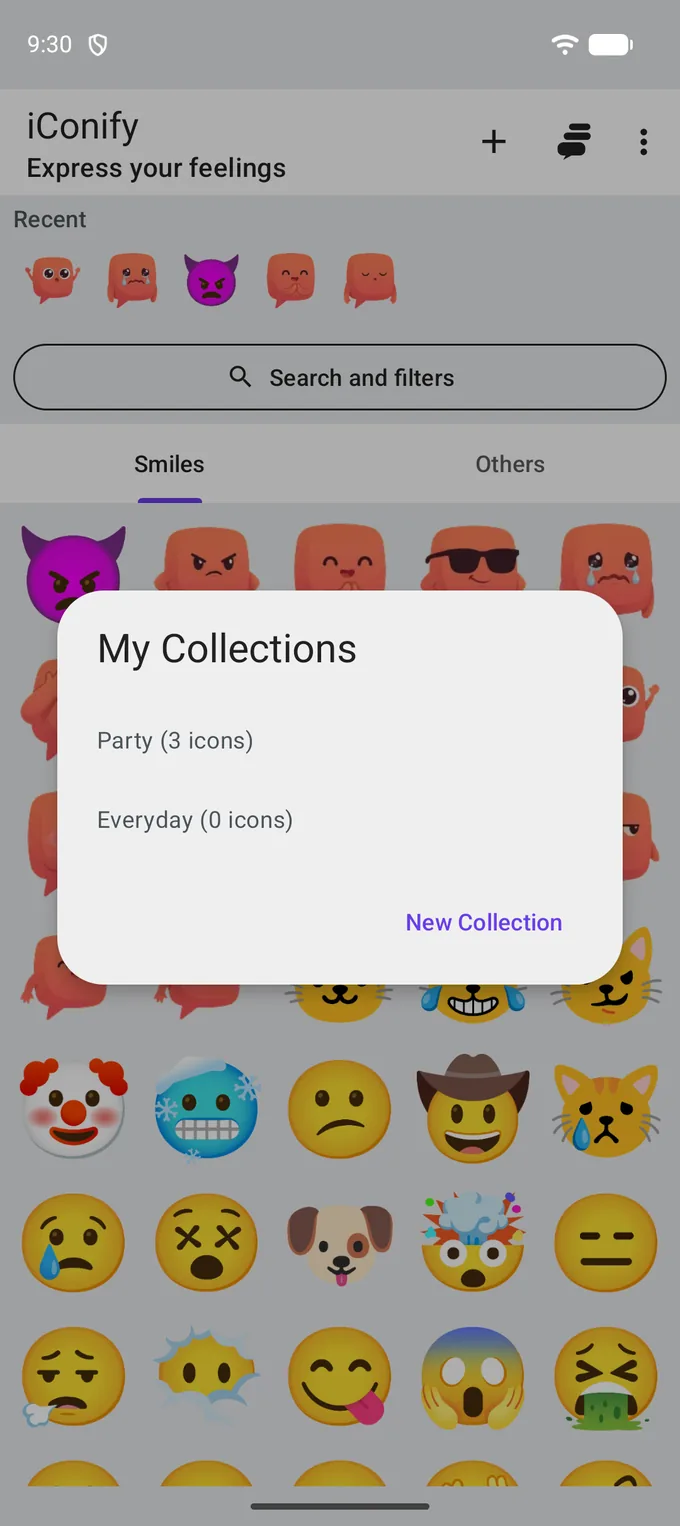
Collections

Folders you name, and can search inside

  • A collection is a named set of icons, not a copy: one icon can belong to several at once and stays in the catalogue regardless.
  • Create one from the collections dialog, or straight from an icon's menu.
  • Show this collection in catalog applies it to the grid as a filter, so search and sort work inside it.
  • Deleting a collection deletes the folder, not the icons — the app says so in the confirmation rather than leaving you to guess.

Your own icons

A link, a name, a category

  • The dialog checks the address while you type and refuses a link that does not answer or is not a WEBP or GIF.
  • Paste from clipboard is one tap; Browse image file takes one that is already on the phone.
  • Format and category are picked from lists, so the record is complete before it is saved.
  • An icon added from a URL keeps pointing at that URL: the app stores the address, not a copy of the file.

Settings

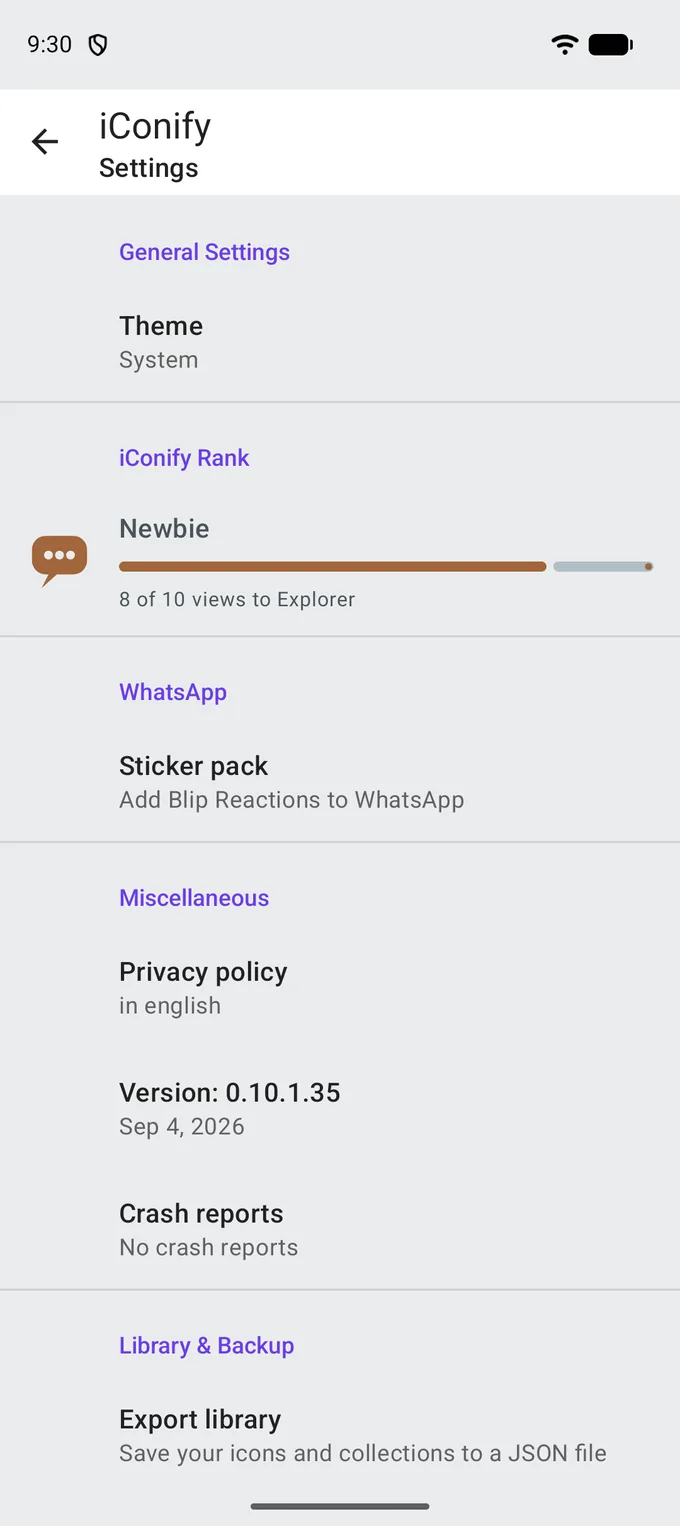
One screen for the theme, the rank and the pack

Settings is short on purpose. Everything on it is either a switch you might want or a fact about the copy you have installed.

  • Theme — Light, Dark or System. The dark theme is a real second palette, not an inverted first one.
  • iConify Rank — eleven ranks counted from the icons you have opened: Newbie, Explorer, Enthusiast, Pro, Expert, Veteran, Elite, Legend, Mythic, Icon Lord, Eternal Collector, at 10, 25, 50, 100, 250, 500, 1,000, 2,500, 5,000 and 10,000 views. The bar shows how far the next one is. Nothing about it leaves the phone, and there is no leaderboard to appear on.
  • Sticker pack — installs Blip Reactions into WhatsApp. About six megabytes, downloaded when you ask for it rather than shipped inside the app; if WhatsApp is not installed, the app says so instead of failing quietly.
  • Library & Backup — export and import described below.
  • The app version and the privacy policy are on the same screen, and the policy opens in the app rather than in a browser.

The rest of it

Icon of the day

Once per calendar day the app offers one icon and says why: you have not seen it yet, it is one of your favourites, or it is popular today — meaning high in the ranking your own phone worked out. It appears once a day and not on the first launch, when there is no history to pick from.

Challenges

Six of them, daily and weekly: view 3 or 10 icons today, view 20 or 50 this week, share 1 today, share 3 this week. They reset on their own schedule and are counted from the same local history as the rank.

Library export and import

Export library writes your icons and collections to a JSON file you choose the location of. Import merges such a file into the catalogue on another phone and reports what it added. Nothing is deleted by an import.

Backup and restore

A backup is the fuller version of the same idea, written to a JSON file you keep yourself. Restoring merges it back and tells you the date of the backup before it starts. There is no cloud copy — the file is yours to store.

Works with a bad connection

The catalogue is fetched from the content server, cached, and falls back to the copy inside the app. Images are cached on disk after the first view. A launch with no connection shows the catalogue you already have.

Deep links

Every icon has a web address of the form icons.suxlv2.space/i/name. Opening it on a phone with iConify installed opens the icon in the app; without the app, it opens a page showing the same animation.

Languages

English, Russian and Latvian, following the phone's language. The same three as this site, and the same three as the app's page in Google Play.

Nothing to buy

There is no paid tier and no in-app purchase of any kind — the app carries no billing code at all. The search sheet has an editorial shelf called Premium; it is a label the catalogue can put on an icon, not a price.

Limits worth knowing before you install

  • One Google AdMob banner is shown on the catalogue and inside a collection. It is the only advertising, and there is no purchase that removes it.
  • There is no account and no synchronisation between devices. Two phones mean two libraries, joined only by a file you export and import.
  • Votes, ranks and challenges are private to the device. Nothing about them is published, compared or ranked against anyone else.
  • An icon added from a URL keeps pointing at that URL. If the address stops answering, the icon stops loading — the app stores the record, not a copy of somebody else's file.
  • The app needs a connection the first time it fills the catalogue and every time it loads an image it has not cached yet.

Get it on Google Play

Free to install. Android 8.0 and newer.

See it on your own phone

Free to install, Android 8.0 and newer.

Get it on Google Play

Free to install. Android 8.0 and newer.